ulyssescaballes-mpv.config
||||⚓
Ulysses RS Caballes - MPV Cinema Config
A handcrafted cinema engine for MPV.
Uniting neural upscaling, HDR tone mapping, and immersive 3D spatial audio.
Built for precision. Tuned for immersion.
Build & Capabilities








What This Configuration Delivers
✓ Vulkan (gpu-next) high-quality video rendering pipeline
✓ Advanced GLSL shader stack: CuNNy (CNN upscaling), SSimSuperRes, Adaptive Sharpen, Depth Reality Boost
✓ HDR tone mapping with contrast recovery (BT.2390)
✓ ICC color-managed playback
✓ Immersive 3D spatial audio
✓ Modular profiles for anime, realism, sports, and 8K content
Performance Notes
| GPU Class | Resolution | Expected Performance | | ——————————————– | —————— | ——————————————————————————— | | RTX 5090 (next-gen) / Future RX Flagship* ?RX 9070 XT? | 8K+ → 16K | Ultra-high headroom, full pipeline with the heaviest shader workloads | | RTX 4090 / RX 7900 XTX | 8K | Full pipeline, maximum shaders | | RTX 3080 / RX 6800 XT | 4K+ → 8K | Smooth playback, minor shader tuning may help | | RTX 3060 / RX 6700 XT | 4K | Recommended for full shader pipeline | | GTX 1660 / RX 5600 XT | 1080+ →1440p | Use lighter profiles (FSRCNNX-x2) | | Intel Arc (A7xx) | 1080p | Best with FSRCNNX, reduced shader load recommended | | Intel iGPU / UHD / Iris Xe | 1080p | Limited, use light profiles only |
* AMD equivalent is unconfirmed and may not directly match RTX 5090 performance tier.
The CuNNy-8x32-DS shader profile is optimized for Windows 11 environments and may cause performance issues (lag or dropped frames) on Linux systems with AMD GPUs.
Recommended for Linux/AMD setups:
✓ FSRCNNX-x2_16-0-4-1 → lighter, stable, and cross-platform friendly
✓ CuNNy-4x32 or CuNNy-2x32 → reduced demand with good perceptual quality
✓ Hybrid stacks (FSRCNNX + Adaptive Sharpen / Depth Reality Boost) → balance between speed and sharpness
This ensures smoother playback while preserving visual detail and stability.
Table of Contents
- Overview
- Features
- Demo Clip
- Screenshots
- Shader Pipeline
- Audio Pipeline
- Profiles
- Video Keyboard Function Shortcuts
- Audio Keyboard Function Shortcuts
- Menu & Utility Shortcuts
- Script Suite
- Installation
- Common Toggles & Beginner Notes
- Optional Add-ons
- MPV + YouTube Integration
- Philosophy
- Repo Hygiene
- Final Word
- License
Overview
This MPV configuration is engineered for viewers who demand cinematic fidelity, artifact-free rendering, and adaptive precision across all content types - anime, films, sports, and 8K HDR.
Every component is tuned for clarity, depth, and realism. Powered by a custom shader pipeline and Lua automation scripts that adapt dynamically to content while preserving cinematic intent.
Features
✓ Custom GLSL pipeline for super-resolution, sharpening, depth, and film emulation
✓ Vulkan-optimized rendering for high-performance playback
✓ Content-aware profiles (anime, realism, sports, 8K)
✓ Lua automation for dynamic shader control and recovery
✓ Clean, modular and remixable architecture
Demo Clip
This clip was rendered and played with this configuration, showcasing HEVC Main 10 playback, HDR tone mapping, and full shader fidelity.
Screenshots
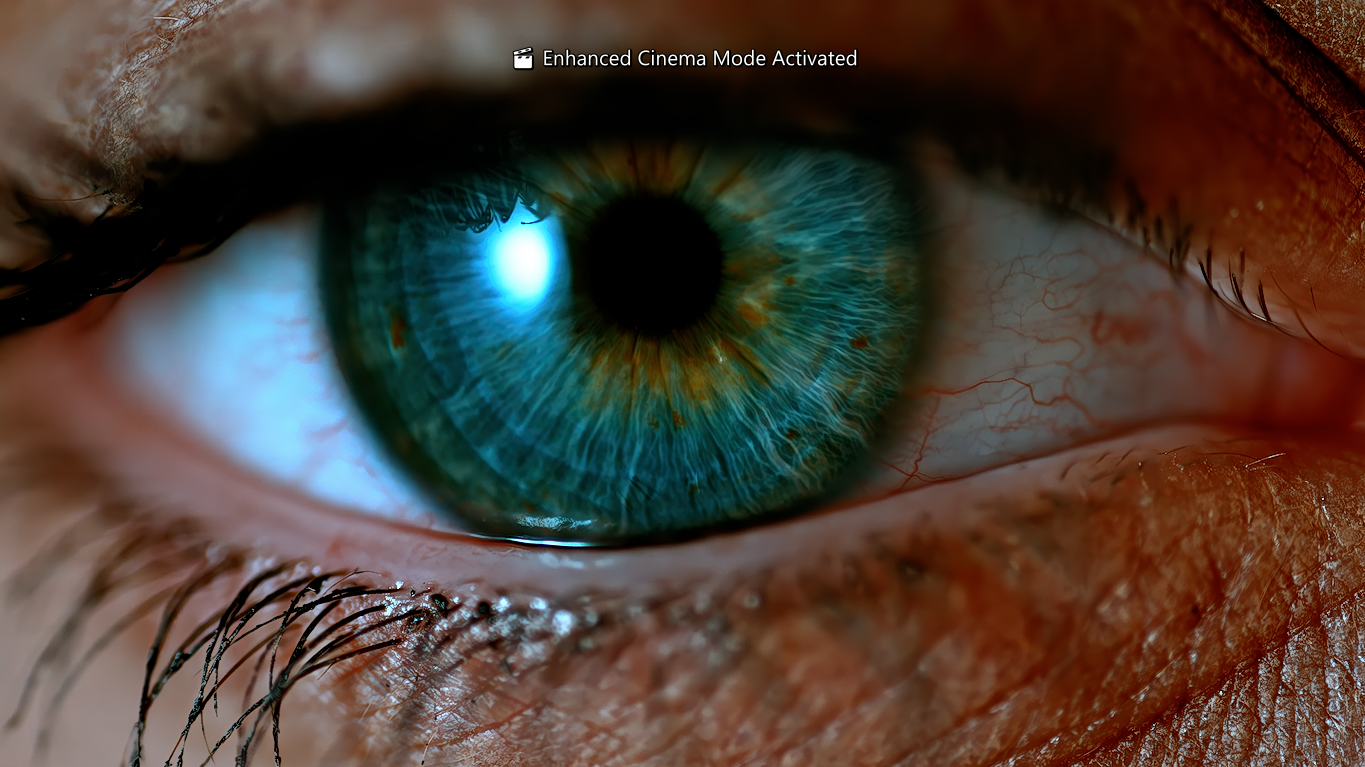
Debanding and tone mapping - smooth gradients, lifelike contrast.
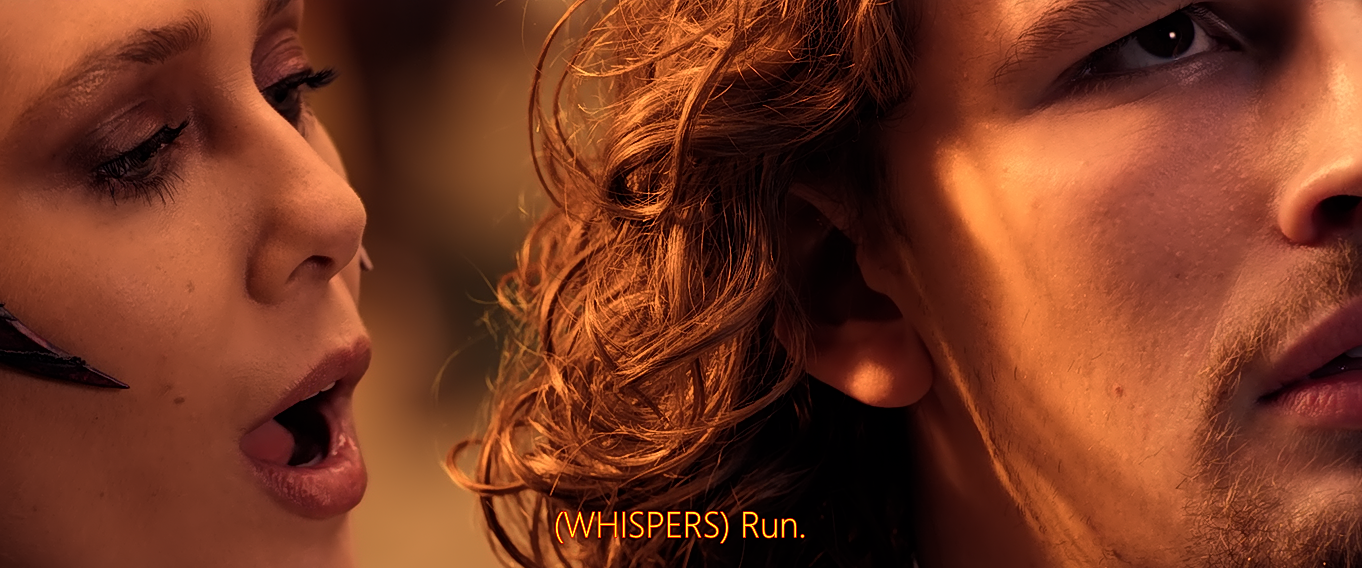
Styled subtitles and shader stack delivering cinematic realism.
Visual Improvements
| Without Config | With Ulysses RS Caballes - MPV Cinema Engine | How | |—————|————————|——————| | Flat colors | Cinematic tone mapping | BT.2390 HDR curve + GAMMA / Perceptual Linearity | | Aliasing artifacts | Neural upscaling | CuNNY-8x32-DS | | Washed HDR | Contrast recovery | Reinhard + debanding | | Weak audio stage | 3D Spatial audio | Equalizers+ | —
Shader Pipeline
-
Debanding (fade‑aware, error diffusion dithering)
-
Tone Mapping (BT.2390 with contrast recovery)
-
Resampling - 26-tap separable kernel
-
Adaptive Sharpen - linear-light, curve height tuned, overshoot control
-
Depth Reality Boost - perceptual depth cues without halos
Audio Pipeline
- Immersive 3D Spatial Audio
- Virtualized audio rendering for realistic positioning and depth.
- Supports optional custom audio datasets via [main.lua].
- EQ Chain
- Bass reinforcement, midrange cleanup, treble clarity, and subharmonic depth.
- Dynamics Control
- Normalization, compression, and limiter for safe playback.
Profiles
This configuration includes multiple playback profiles tailored to different content types. Each profile adjusts shaders, scaling, tone mapping, and enhancement strength.
Anime
- Line‑art‑safe sharpen, debanding, gentle vibrancy, light grain
Realism
- Balanced sharpen, depth boost, filmic grain, natural color
Sports
- Motion‑clarity‑oriented sharpen, reduced grain, highlight visibility, clean gradients
8K
- Super‑resolution, minimal grain, precision tone mapping, GPU-efficient scaling
Video Keyboard Function Shortcuts
| Shortcut | Function Name | Description |
|---|---|---|
| Ctrl + 1 | clear_default | Reset to baseline configuration. |
| Ctrl + 2 | anime_hdr | Anime HDR preset. |
| Ctrl + 3 | realism | Realism preset. |
| Ctrl + 4 | sports | Sports preset. |
| Ctrl + 5 | debug | Debugging overlays. |
Audio Keyboard Function Shortcuts
| Shortcut | Function Name | Description |
|---|---|---|
| F + 9 | pure-mode | Pure Headset Reference Playback |
| F + 10 | cinema-mode | Cinema IMAX-inspired SenseSurround Mode |
| F + 11 | music-mode | Music Live Concert Mode |
| F + 12 | reset-filters | Filters Cleared |
Menu & Utility Shortcuts
| Key | Action |
|---|---|
| O | Open File |
| Y | YouTube Search |
| H | Playback History |
| K | Keybinds Menu |
| V | Video Settings |
| A | Audio Device Selector |
| S | Subtitle Settings |
| P | Screenshot Menu |
| Shift + S | Screenshot / Saved on Desktop |
Script Suite
-
shader-recover.lua
Reloads shaders if an error occurs. -
profile-auto.lua
Auto-selects profile based on resolution/framerate. -
stats-overlay.lua
Displays GPU load, tone mapping status, and active shaders. -
subtitle-style.lua
Cinematic subtitle styling. -
audio/main.lua
Custom Lua script for handling spatial audio effects and optional audio datasets.
Installation
Note: This configuration uses MPV in portable mode.
All settings are loaded from the portable_config folder located alongside mpv.exe.
Requirements:
✓ MPV v0.41+
✓ Vulkan‑capable GPU
✓ Windows 11 (recommended)
Download mpv-x86_64-v3 (Zhongfly builds):
mpv-x86_64-v3 (Zhongfly builds)
- Open File Explorer
- Enable: View → Show → Hidden items
- Navigate to %APPDATA%
- Create folder named MPV
- Extract the MPV Zhongfly build into this folder
- Open the installer folder then right-click updater.ps1 and select Run with Powershell
- Right-click mpv-register.bat and select Run as administrator
- Press Win + R and enter ms-settings:defaultapps
- Scroll down and select app mpv
- Set default file and link types to MPV
- Right-click updater.bat and select Run as administrator then follow the prompts
- Download or clone this repository and extract the
portable_configfolder - Place the “portable_config” folder here:
“C:/Users//AppData/Roaming/MPV/***portable_config***"
%APPDATA%\MPV\
│
├── mpv.exe
└── portable_config\
    ├── mpv.conf
    ├── input.conf
    ├── script-opts\
    ├── scripts\
    │   └── main.lua\
    │
    └── shaders\
        ├── CuNNy-8x32-DS.glsl
        ├── SSim\
        ├── Adaptive_sharpen\
        └── Depth_reality_boost\
- Ensure MPV is configured to use Vulkan:
gpu-api=vulkan
- Double-click any media file and MPV will instantly play it, or play CDs, DVDs, and Blu-ray discs with maximum audio and video quality playback, each time, all the time. Sit back, relax, and enjoy a seamless viewing and listening experience.
Common Toggles & Beginner Notes
| Option | Setting | Effect |
|---|---|---|
| Idle Behavior | idle=yes |
MPV stays open even with no file loaded (useful for drag‑and‑drop). |
idle=no |
MPV closes automatically after playback (traditional media player feel). | |
| On‑Screen Controller (OSC) | osc=no |
Disables the control bar for a cleaner, cinema‑style look. |
osc=yes |
Enables the familiar UI with playback controls. | |
| Window Border | border=no |
Removes title bar for a cinema‑style presentation. |
border=yes |
Restores standard window controls. | |
| Volume Max | volume-max=130 |
Allows boosting volume beyond 100% (use with care to avoid distortion). |
Optional Add-ons
| Add-on | Purpose/Benefit |
|---|---|
| Anime4K | Stylized upscaling for animation content |
| FSRCNNX | Neural network–based upscaling |
| RAVU | High‑precision scaling |
| SVP / Motion Interpolation | Smoother playback for sports and fast motion |
| External LUTs | Custom color grading for cinematic tone |
MPV + YouTube Integration
Instructions on how to enable MPV to directly open and play YouTube streams from a web browser (Applicable only to Firefox-based browsers or on any Firefox based variants):
- Download and install Firefox or one of its variants. For the best experience,
Floorpis highly recommended. - Install browser extension:
ff2mpv (for Windows)from Firefox Browser Add-ons. - Download:
ff2mpv-master.zip - Extract “ff2mpv-master.zip” inside [MPV] folder.
- Open “ff2mpv-master” folder, copy “ytdlProtocol.bat” then paste it outside “ff2mpv-master” folder to sit where “mpv.exe” is placed inside [MPV] folder, here:
“C:/Users//AppData/Roaming/MPV/***ytdlProtocol.bat***". - Right click “ytdlProtocol.bat”, then “Run as Administrator” once.
- Open YouTube in your Firefox-based browser, right-click on the video stream of your choice. From the context menu, select “Play link in MPV”. If prompted, check the box labeled “Always allow this extension to open ytdl links” and then click “Open Link”. MPV will instantly play the selected YouTube video stream directly with the best audio and video quality playback. Sit back, relax, and enjoy a smooth, immersive viewing experience every time.
Philosophy
This configuration is guided on three core principles:
Precision
Every shader, parameter, and filter is chosen with intent - no bloat, no placebo settings.
Cinematic Realism
The goal isn’t “sharper” or “brighter,” but truer - emphasizing depth, texture, and natural contrast.
Modularity
✓ Fully remixable
✓ Clearly documented
✓ Entirely optional
Adopt the full pipeline or integrate only the components you need.
Repo Hygiene
| Practice | Description |
|---|---|
| No cache files | Repository excludes temporary or auto‑generated cache files. |
| No platform clutter | Avoids OS‑specific junk (e.g., .DS_Store, Thumbs.db). |
| Clean folder structure | Organized directories for configs, shaders, and scripts. |
| Human‑readable configs | Config files are concise, documented, and easy to understand. |
| Commented shader chains | Each GLSL filter is annotated for clarity and maintainability. |
| Versioned updates | Clear changelogs accompany every update for transparency. |
| Commit intent | Every commit message documents purpose, no silent changes. |
Final Word
License

This project is licensed under the GNU General Public License v3.0. Feel free to fork, adapt, and share.
See the LICENSE file for details.